
How to add Header or Sender ID in Jio DLT?
Meaning of Headers: Header is a unique combination of six characters representing the brand or company name of the message sender. Header was earlier known as Sender ID. In the revised TRAI DLT regulations for Bulk SMS, Sender ID is denoted by the term Header.
Header Types for different SMS categories
1. Promotional: These messages are related to marketing purposes and are intended for promoting a product or a service. Promotional SMS are sent to the Non DND numbers. Headers for sending Promotional SMS should be of six numeric digits and based on the business category.
Header Examples for Promotional SMS: 562993, 248751, 495573, 583985, 784321
2. Others: The Others category comprise of Transactional, Service Implicit and Service Explicit. Headers for sending Transactional, Service Implicit and Service Explicit messages should be of six alphabetical characters. These Headers are case-sensitive.
Header Examples for Others SMS: FSTSMS, fstsms, FstSMS, DLTDLt, dltdlt
- Transactional: As per the latest TRAI Guidelines, only the OTP SMS sent by banks will come under the category of Transactional SMS. Transactional SMS can be used only by banks for sending One Time Password (OTP) to its clients. All banks including National/Scheduled/Government/Private and MNC Banks can send OTP to their clients from the Transactional route.
Note: Banks can use Transactional route for sending OTP only. Transactional details, amount debited, credited, account status and all other bank messages cannot be delivered from this route.
- Service Implicit: Informative messages other than Banks OTP will come under this category. Important notifications such as purchase updates, order alerts, payment status, reminders, booking confirmations, OTP SMS from other sites, and other crucial updates will fall in the Service Implicit category.
- Service Explicit: Sending offer/marketing SMS to your registered users will come under this category. These SMS can only be sent to the registered customers after receiving their consent.
Click here to read about New Bulk SMS route in DLT.
How to add Header in Jio DLT?
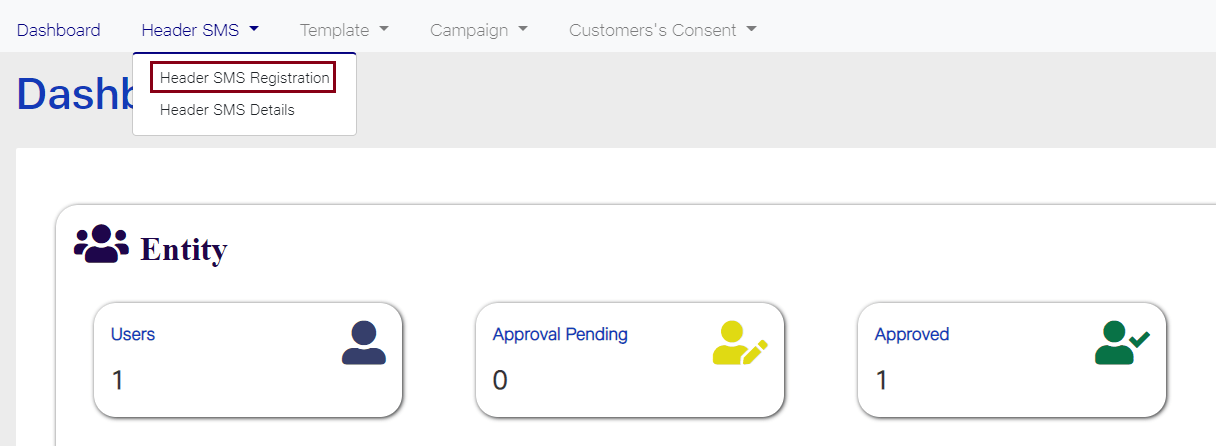
1. Login to your Jio DLT SMS portal. Header SMS option will be visible on your dashboard screen. Once you click on that tab, two options will get displayed – Header SMS Registration and Header SMS Details. Select the first option Header SMS Registration.
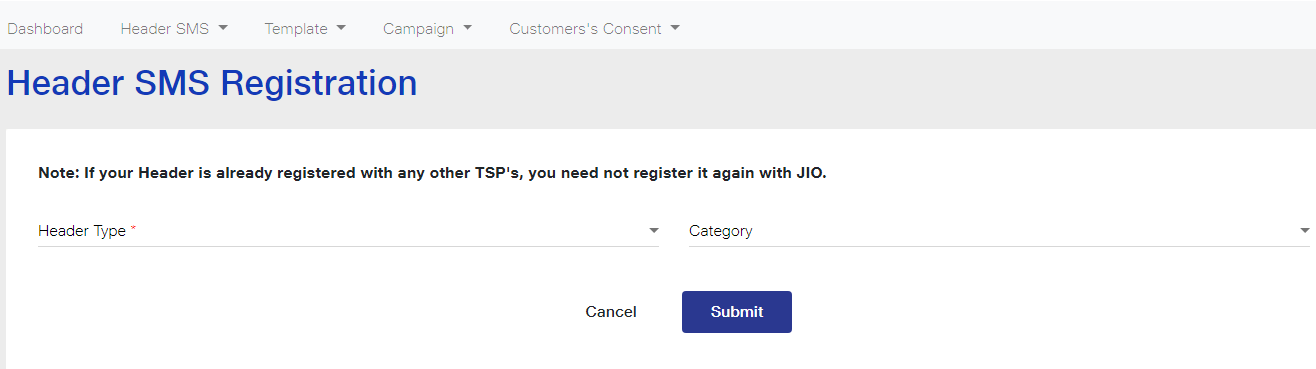
2. Once you select it the following screen will get displayed.

3. Select the Header Type based on your SMS content. If your SMS is promotional in nature select the first option Promotional and if the SMS is informative then choose the second option Others (Transactional, Service Explicit, Service Implicit).
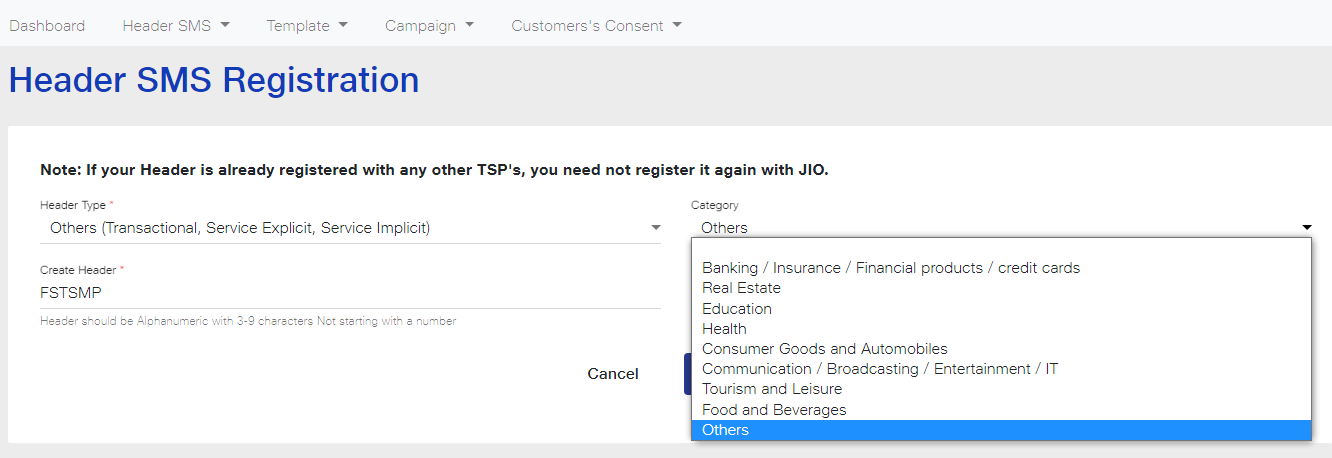
4. Select the Header Category from the dropdown list. If your business or industry is related to Finance choose the first option, if you are a Real Estate Business owner choose the second and so on. If your business does not fall in any of the listed categories, select Others.
5. Create a Header Name of six letters representing your company name.
Important points to remember while creating Header Name
- If you have selected Promotional in the Header Type tab, then your Header must be in numeric digits. The starting digit must be according to the category selected. For example, if your business comes under the first category that is Banking/Insurance/Financial products/credit cards, then your Header should begin with 1. Similarly, if you are in Real Estate Business then the Header will begin with the numeric digit 2. Your Header Name should begin with the numeric digits as displayed in the table below:
| Business Category | Header must start with | Examples |
|---|
| Banking/Insurance/Financial products/Credit cards | 1 | 163849, 154772 |
| Real Estate | 2 | 243563, 287623 |
| Education | 3 | 387659, 384342 |
| Health | 4 | 498723, 498766 |
| Consumer Goods and Automobiles | 5 | 567439, 521987 |
| Communication/Broadcasting/Entertainment/IT | 6 | 678775, 691223 |
| Tourism and Leisure | 7 | 768972, 754327 |
| Food and Beverages | 8 | 829653, 896544 |
| Others | 0 | 035647, 076421 |
- If you have selected ‘Others’ as the Header Type, then your Header must be in 6 alphabetical characters. You can choose a string of six letters representing your business or brand name.
- The Header names are case-sensitive. For example, the Header FSTSMP and fstsmp will be considered two different Headers and both are valid.
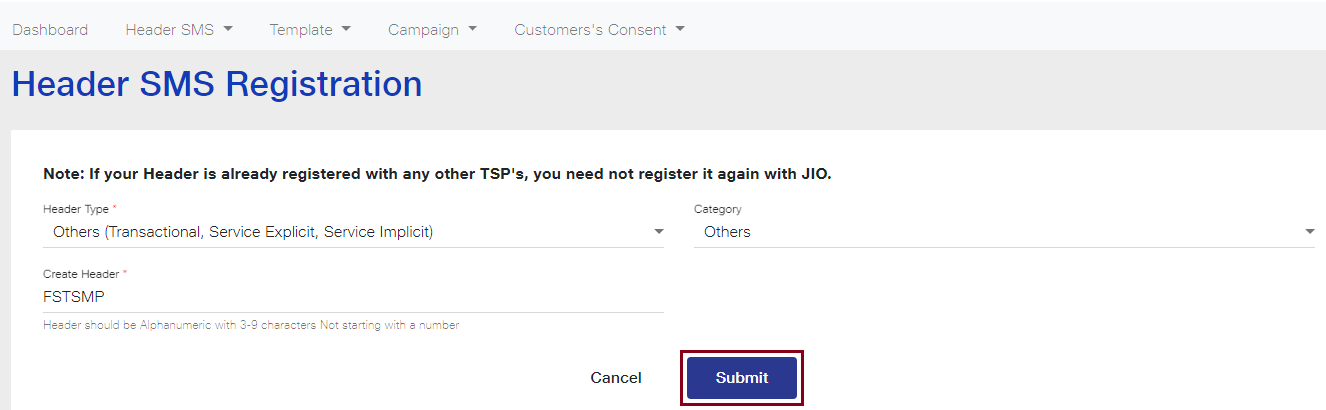
Create a Header name in accordance with the above stated points and then click on the Submit button. As you can see in the image below, we have created Header Name as FSTSMP as the Header Type is Others and is for Transactional, Service Explicit and Service Implicit messages.
Header Name must be as follows:
Promotional Route: 6 Digit Numeric only.
Other Route: 6 alphabetical characters only (without number)
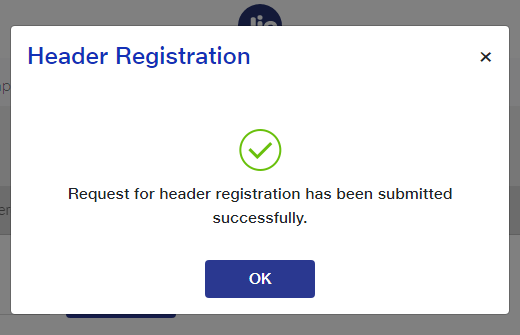
6. As you click on the Submit button, a dialog box will appear on your screen as shown below.
Note: If your Header name has been already taken by someone else, the following message will appear on your screen.
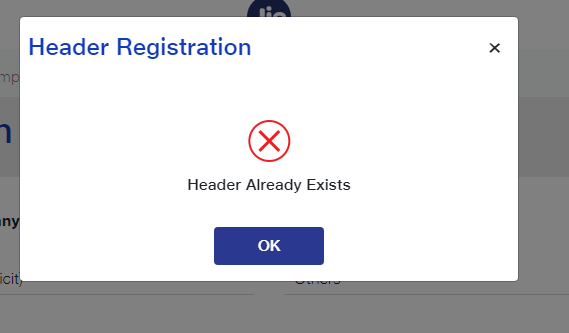
7. Once you have submitted the Header request, an email will be sent on your registered email ID stating that Header registration request is received and is being processed.

8. It can take 3-7 working days for headers approval from Jio DLT after submitting your request.
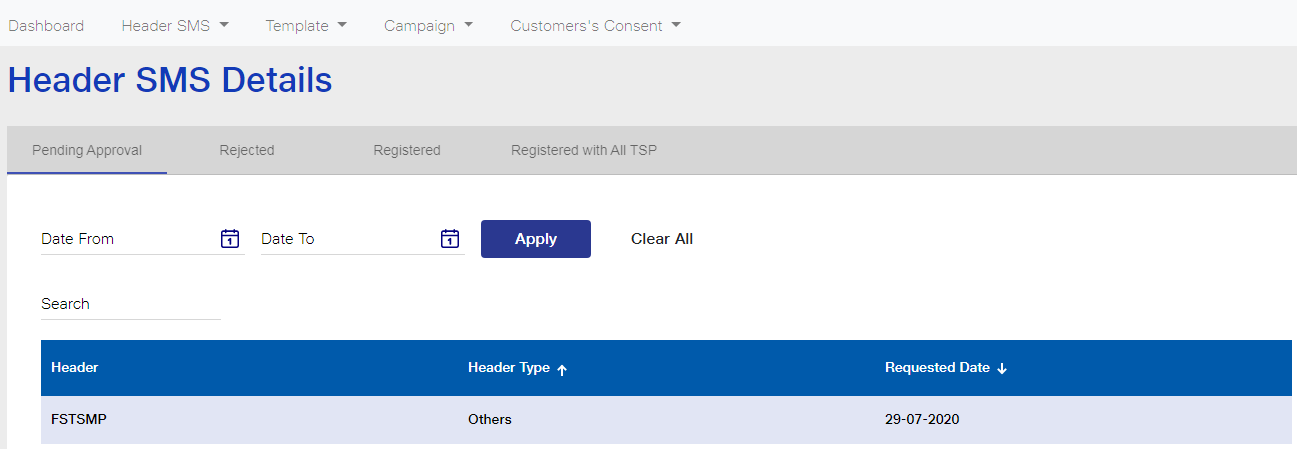
You can check the status of your Header Registration Request from the Header SMS Details option in the Header SMS tab. The status of Headers pending for approval, rejected and registered can be viewed from this tab.
As you can see in the image below, Header FSTSMP submitted for approval is in the Pending Approval tab. Here, the Header Name, Type and Registered Date will also be displayed. You can even search for a Header within a specific time frame. As shown in the image, a date selection field is visible. Enter the time period in the Date From and Date To fields and then click on Apply. The Headers based on the selected time frame will be displayed.
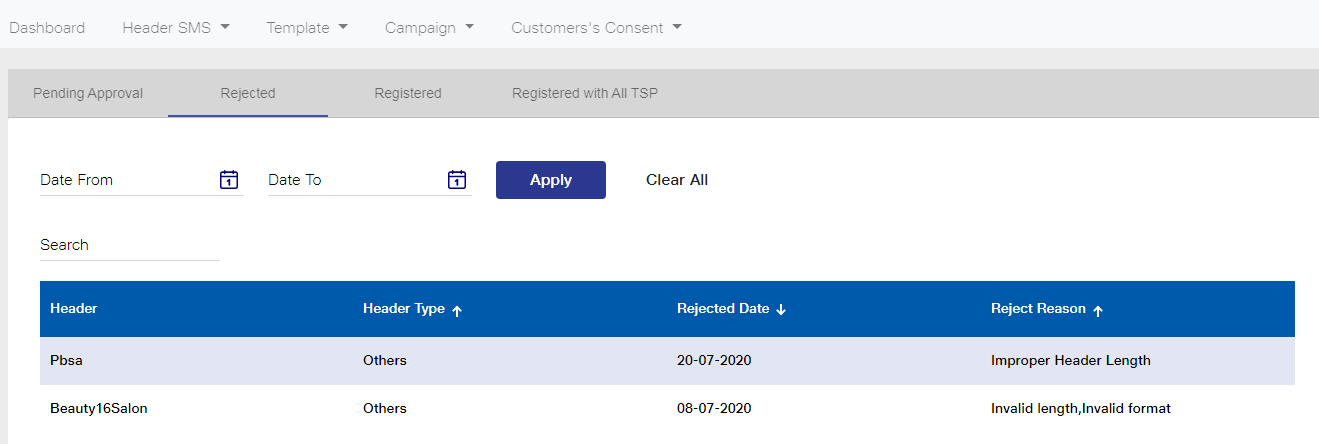
The Headers which have been rejected will be visible in the Rejected tab. As you click on that tab, the Headers rejected will be displayed as shown in the image. The Header Type, Rejected Date and the Reason for Rejection will also be available to view.
As you can see in the image below, Header Pbsa has been rejected with the reason of improper Header length. Next, Beauty16Salon has been rejected because of Invalid length and Invalid format.
Similarly, your registered Headers can be viewed from the Registered tab.
Next steps will be to approve your Consent & Content Template.


